Showing posts with label hardware. Show all posts

11/24/2008

Crucial Ballistix Tracer 4GB PC3-10600

. 11/24/2008
1 comment


Finally after what has quite possibly been forever, DDR3 memory is now starting to become affordable. Still, do not expect to pick up a DDR3 memory kit for anywhere near current DDR2 prices, that is simply not going to happen, at least not right now anyway. Although DDR3 does at best still cost twice as much as similar DDR2 memory, it is getting cheaper.


For example, it is now possible to purchase a 4GB DDR3 memory kit containing two 2GB modules for around $130 US. However at this price you will not be getting weapons grade stuff, rather a modest pair of modules clocked at just 1066MHz using average timings. For a decent pair expect to pay anywhere from $160 US to around $200 US.

Unfortunately the key problem that DDR3 memory has faced over the past year or so has not been the hideously expensive price tag. Rather, many have struggled to look past the fact that it’s not any good. Actually, let me rephrase that, it’s not any good when paired with a Core 2 processor. For very exciting and technical reasons that we won’t go into right now, the Core 2 processors are unable to make use of all that extra bandwidth being offered by DDR3 memory.

What this meant was that the higher latency DDR3 was in some cases slower than DDR2 memory at similar frequencies, and even then overclocking the hell out of it did not do much good either. So for the past year or so, DDR3 memory has been too slow and too expensive for most of us to bother with. This all changed recently of course when the new Core i7 processors were unleashed upon the world.

The new Core i7 architecture resurrected the problem that limited the bandwidth of Core 2 processors by doing two things. First the memory controller was moved from the chipset and onto the processor. Secondly the FSB (Front Side Bus) was abolished and replaced with something much faster. Not only did Intel relocate the memory controller, but they also enhanced it, providing the new Core i7 processors with the ability to use triple-channel memory.

Therefore, any and all useful DDR3 memory is now going to come in 3’s so that it may be paired with a Core i7 processor. So today we are obviously going to be looking at a new triple-channel DDR3 memory kit … err well no, not exactly. Crucial, the memory company that sticks Micron chips on PCB’s and gives them crazy names like Ballistix, is a little behind when it comes to triple-channel memory kits.

As it stands they currently offer no high performance triple-channel memory kits, with their infamous Ballistix range including only dual-channel kits. They do however sell single modules, which is interesting as many makers do not, at least with their performance modules anyway. This means that while we are looking at their Ballistix Tracer 4GB PC3-10600 kit, which features a pair of 2GB sticks, they can also be purchased individually.

Therefore while this high performance kit can be purchased for just under $200 US, it is possible to buy the sticks individually for around $90 US each. So really it should not be long before Crucial piece together a triple-channel memory kit. Unfortunately we do not have three modules, so instead we will be forced to test them on the Core 2 platform where they will be not nearly as efficient.

Read More»»

HIS Radeon HD 4670 IceQ Turbo

.
0 comment


It has been quite some time since we last reviewed a sub $100 US graphics card, and that is not because we have anything against them. The last budget graphics card we reviewed was the Radeon HD 3650 which cost around $70 - $80 US at the time. Unfortunately, for that money this graphics card was still much slower than the older GeForce 8600 and Radeon HD 2600 series. In fact, this is really where the mid-range and low-end graphics cards started to go off.


The GeForce 8600 GT and GTS graphics cards were a disaster, offering woeful performance at unbelievably high price tags. Over time the pricing was eventually relaxed to a more realistic level, but still we were left without a decent mid-range solution. Then along came the Radeon HD 2600 XT and Pro which … well, changed nothing really. The Radeon HD 2600 series was just as pathetic, offering even less performance in a number of cases at roughly the same price tag.

Therefore we quickly gave up on the mid-range budget hardware and focused our attention on the mid-range performance hardware that you would actually want to own. However, just recently the mid-range budget, and even the low-end markets, are coming back to life thanks to AMD/ATI and their recent assault on Nvidia.

Amazingly powerful graphics cards such as the Radeon HD 4850, can be had for a little under $200 US. Nevertheless, if you want to go cheaper again, the Radeon HD 4670 can be had for just under $100 US. However as history tells us, spending so little on a graphics card intended for gaming is rarely a wise move, as you will often find yourself stuck playing games from a past decade. This may not be the case with the Radeon HD 4670, which makes it a very interesting product, particularly for those on a tight budget.

There are quite a few Radeon HD 4670 examples out there from all the usual suspects, though it is the HIS version that we will be looking at today. While the reference Radeon HD 4670 graphics cards feature a small, and what looks like quite a loud cooling setup, this HIS version features a more serious alternative.

Amazingly, the base HIS model, which goes by the part number 'H467QS512P', cost just $80 US, which is the same price as the generic cards using the reference cooler and board design. Today we are checking out the more expensive $100 version (H467QT512P) which features the same cooler and design, with some factory overclocking to help bolster performance. This is quite a price premium to pay for some overclocking on a budget graphics card, so we are keen to see if it will pay off.

Read More»»

Intel Core i7 920 & 965 EE Overclocking

.
0 comment


We are doing a little Intel Core i7 overclocking with the new ASUS P6T Deluxe motherboard. The results were impressive, and achieving them could not have been much easier. Those considering the new Core i7 920 processor will no doubt be very interested in our findings.


More than two years ago I found myself writing our first Core 2 Duo overclocking performance article based on the Core 2 Duo E6700 processor. For the first time we showed this new processor operating at 3.66GHz, opposed to its default operating frequency of just 2.66GHz, where at the time it was still incredibly quick.

Now we plan to do much the same with the new Core i7 processors, to see what they are capable of with a little after market cooling. Overclocked to 3.66GHz, the E6700 was easily able to outclass anything at the time, with even Intel’s own most prized Extreme Edition processors no match at their default clock frequencies. So what can the already very fast Core i7 processors do at 3.80GHz and beyond?

Actually, when we first looked at the Core i7 series a few weeks ago we were able to bring you detailed results of the 965 Extreme Edition processor operating at 3.80GHz, and they were impressive. However today we are pushing things a little further, with a new motherboard from ASUS called the P6T Deluxe. This new motherboard is capable of overclocks previously unachievable on the Intel DX58SO (Intel X58) pre-production motherboard.

With a few easy steps, which we will show you shortly, it was possible to push the Core i7 920 processor to a remarkable frequency of 3.80GHz, an impressive 43% overclock. This 1140MHz boost in clock frequency per-core will naturally have a profound impact on performance, and this is what we want to show you. The Core i7 965 Extreme Edition processor was a little less impressive, going from an already high 3.20GHz clock frequency to 4.0GHz, achieving a 25% overclock.

Still, at 4.0GHz the Core i7 is certainly a force to be reckoned with, as you will soon discover. It is important to note that our results were achieved with a high-end air-cooler, the Cooler Master V8. When paired with a $70 US air-cooler this sub-$300 US processor will undoubtedly keep gamers happy for well over 12 months. After all, our Core 2 Duo E6700 processor clocked at 3.66GHz is still quite an impressive bit of kit.

While this article is more or less just showing off the performance of two overclocked Core i7 processors, we will show you exactly how it was done. In fact, like the Core 2 Duo E6700 which we overclocked using the ASUS P5W DH Deluxe motherboard, we found the new ASUS P6T Deluxe to be dead easy when it comes to overclocking. So without wasting any more time, let us show you exactly how it is done.

Read More»»

Lexmark X6650 Wireless 4-in-1 Review

.
0 comment


When you see a car with a blue oval on its nose, you know it's a Ford. When you see a bottle with a trademark curvaceous shape, you know it's Coca-Cola. We've grown accustomed to a family resemblance among Lexmark inkjet printers: a shoebox with a vertical paper tray at top rear and a catch tray at bottom front, with pages taking a straight downhill path instead of curling or cartwheeling within the printer as usually occurs with front-mounted trays or drawers.

It isn't really jam-proof (we pride ourselves on jamming every printer we test at least once), but it appeals to our sense of simplicity.


The Lexmark X6650 also appeals to our sense of thrift, since its $130 price buys a copier, scanner, and fax as well as a printer, plus 802.11b/g WiFi for wireless printing on a home network. Or a small office network, of course, although since Lexmark has sorted its inkjets into two groups the X6650 is officially part of the company's Home and Student Series. Its twin in the Small Office Pro series is called the X6675 and comes with a longer warranty and larger starter ink cartridges for $20 more.

The X6650 offers other checklist items for multifunction printer shoppers. There's a 25-sheet automatic document feeder (ADF) on top, so multipage copying or faxing jobs avoid the chore of opening and closing the scanner lid to place one page at a time. A PictBridge USB port and two slots on the front panel for SD, MS, xD, MMC, and CF cards allow printing images directly from USB flash drives or digital cameras' memory cards.

On the other hand, the Lexmark's low price dictates some sacrifices. Wired (as opposed to WiFi) connectivity is limited to USB 2.0, with no Ethernet port for small-office sharing. There's no duplexer for automatic double-sided printing. The control-panel LCD is a two-line mini screen, not a color display for photo viewing and editing.

And instead of higher-end inkjets' half-dozen or so color ink cartridges, which give you both better photo output and the cost-effective option to replace just one color when it runs dry, the Lexmark sticks with the familiar two-cartridge, four-color setup -- black and tricolor ink cartridges, the latter holding cyan, magenta, and yellow. You can, however, swap the black cartridge for a tricolor photo cartridge ($32) to switch from four- to six-color output.

Finally, you probably don't expect $130 to buy you blazing speed and stunning output quality, and you're not far wrong. The X6650's output is adequate, but nothing more. Actually, we came up with that recognizable-brand-design opener to avoid beginning a review with OK. All right, we guess. Could be worse.

A Little Wobbly

With paper trays extended, the unit measures roughly 13 by 18 by 20 inches. It's relatively quiet in operation -- a bit too loud to share your desk with your phone, but fine on an adjacent table within reach of your swivel chair.

While the 17-pound printer seems solid and sturdy when removed from its packaging, the scanner lid feels flimsy, wobbling from side to side and requiring some care to prop open without flopping down onto your fingers. The loose feeling comes from a pair of hinges that help lift the lid to scan pages of books, which is a nice feature but could have been better executed.

It takes just a minute to insert and snap into place the two ink cartridges, after which the Lexmark asks you to load plain paper to print an alignment page. Software installation is more time-consuming, spanning not only the printer driver but a handy control-panel package that lets you browse documents and pictures, select items for printing, and format them in various ways, with both automatic (one-click fix, red-eye removal) and manual (crop, exposure, hue/saturation) touch-up for photos and the option to launch a document for last-minute editing within your word processor or other application. The ABBYY FineReader Sprint 6.0 optical character recognition package is included as well.

Read More»»

11/16/2008

Intel launches Core i7 as PC demand softens

. 11/16/2008
0 comment


Intel began sales of its high-end Core i7 desktop chips in Tokyo late Saturday night, bringing to market a series of processors that are significantly more powerful than any of the company's current desktop products.

In a move intended to stoke demand among Japanese PC enthusiasts, shops in Akihabara, Tokyo's main electronics district, stayed open past midnight to put the first Core i7 chips on sale. The launch preempted a San Francisco news conference planned for Monday, as signs increasingly point to softening global demand for computers.

"This is a major new architecture for Intel and to be able to launch it here first to the user-community that Akihabara supports is a really exciting thing for us to do," said Steve Dallman, vice president of sales and marketing and general manager of Intel's worldwide reseller channel organization, shortly after the midnight launch. He was referring to the PC hobbyists and gamers who crowd the areas electronics stores in search of components to build their own computers.


"One of the features in the new processor I think they are going to be very excited about is Turbo-mode," he said. "There's also Turbo-tuning, which allows them to go in for the first time and tune 20 different parameters to optimize the performance of the processor."

The 3.2GHz Core i7 965 Extreme Edition is priced at $999, while the 2.93GHz Core i7 940 and 2.66GHz Core i7 920 are priced at $562 and $284, respectively. Additional versions of Nehalem targeted at other market segments, including laptops, are expected to be released next year.

Several hundred people crowded stores that were open from around 10 p.m. Saturday until 1 a.m. Sunday to check out the new chip and buy it. It was offered alongside compatible motherboards and other components.

"We ran-out of the high-end ones, the 965 processors, and the motherboards above ¥40,000 (US$410)," said Keisuke Kurashi, manager of the Faith store in the electronics district.

Core i7 is the first chip series based on Intel's Nehalem architecture to hit the market. Manufactured using a 45-nanometer process, these chips differ from Intel's existing products in several ways, most notably with the inclusion of an on-chip memory controller and faster links that connect the processor with main memory.

The chips that went on sale late Saturday aren't for the average user.

The first Core i7 processors were designed for systems aimed at gamers and other high-end users, and not the mass market, said Bryan Ma, director of personal systems research at IDC Asia-Pacific.

Despite the challenging economic environment, the release of Core i7 gives Intel a boost by strengthening its desktop product line and will keep the company one step ahead of rival AMD in the high-end desktop space. "They need to stay competitive," Ma said.

Read More»»

11/10/2008

Palit Claims Most Powerful Video Card

. 11/10/2008
0 comment


Need some heavy-duty graphics power for that insane system you are thinking of building? Palit is aiming to deliver the goods with its new Revolution 700 Deluxe – just make sure you plan around it, cause it’s a big’un.

The new Revolution 700 Deluxe effectively puts Palit in the kings throne of fast graphics – advertising it as the World’s Most Powerful Graphics Card, it is the first custom designed video card based on AMD/ATI’s HD 4870 X2. The card sports dual GPUs already over-clocked from the factory to 750 MHz, comes with 2GB of GDDR5 memory running at 3,800 MHz – effectively delivering 2.4 teraFLOPS of graphics power using 1,600 stream processors.


Other things to note about the Revolution 700 Deluxe is that it is the first factory over-clocked HD 4870 X2 solution to hit the market. And to add to its big specifications, the physical size of the card is also very big – to heck with dual-slot cards, this sucker takes triple! That means, depending on how you plan to build your system, you might have to build it around the card – make sure you got room and adequate air flow space for this one.

Additionally, the new card supports DisplayPort, HDMI, Dual-Link DVI, and D-Sub (VGA). All these interconnect options give the user flexibility over what type of display they would like to use without having to fiddle with adapters.

Palit’s features are for the Revolution 700 Deluxe are as follows:

Ultra-Threaded Shared Engine – Support for Microsoft DirectX 10.1 Shader Model 4.1 programmable vertex and pixel shaders in hardware.

TeraScale Graphics Engine – The powerful new TeraScale graphics engine features deliver high resolutions and fast frame rates.

Enhanced Anti-Aliasing & Anisotropic Filtering – High performance anisotropic filtering and 24x custom filter anti-aliasing (CFAA) smooth jagged edges and create true-to-life graphics, for everything from grass to facial features.

CrossFireX Technology – Upgrade to even greater 3D performance quickly and easily thanks to plug-and-play ATI CrossFireX technology with up to quad-GPU support.

PCI Express 2.0 Support – Designed to run perfectly with the new PCI Express 2.0 bus architecture. PCI Express 2.0 products are fully backwards compatible with existing PCI Express motherboards for the broadest support.

Power to Spare – This GPU has the brute processing power needed for physics, artificial intelligence, stream computing and ray tracing calculations.

ATI PowerPlay Technology – ATI PowerPlay Technology delivers high performance when needed and conserves power when the demand on the graphics processor is low.

Avivo HD Video – Fully integrated HD audio capabilities and supports playback of multi-channel (5.1) audio-streams. Avivo HD enables a one-cable HDMI connectivity solution to high definition home theaters.

Dual-Link DVI Support – Able to drive the industry’s largest and highest resolution flat-panel displays up to 2560 x 1600.

Read More»»

Nehalem: The Unwritten Chapters

.
0 comment

Despite being extremely well prepared in having Nehalem, motherboards, coolers and memory well before launch, the run up to the NDA lift of Intel's Core i7 processors was stressful. There was so much to test: multi-GPU compatibility with X58, memory controller performance, general application performance, overclocking, Hyper Threading, etc...

We're all still hard at work on sorting out the details, Gary is working on a X58 motherboard roundup and has been testing 12GB memory configurations for the past several days (as well as working with board vendors to improve performance/compatibility with 12GB but I'll let you tell him about that), Derek is working on multi-GPU performance and Kris has been working on an overclocking guide. What have I been up to? Well, I've been trying to answer a few lingering questions about Nehalem.


What I've got today are the first results of the questions I've been asking, I've spent the past week looking at power efficiency, memory latency and talking to some of Intel's finest on the phone about Nehalem. And I'm back to report, gather 'round for Nehalem: The Unwritten Chapters.

The Uncore
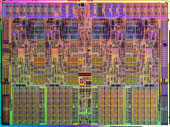
I got a little more detail from Intel on the un-core clock. Just like Phenom, Intel’s Core i7 is divided into an area called the “core” and an area called the “uncore”. The core contains the individual processor cores and their L1/L2 caches, while the uncore houses the memory controller and the shared L3 cache. In our review I mentioned that the uncore runs at 2.66GHz, which is true, but only for the Core i7-965. The Core i7-940 and 920 both run the uncore at 2.13GHz.

The uncore clock is defined by Intel just like the core clock is - Intel sets it based on yield and performance targets. As I mentioned in the launch review, the uncore clock runs at a simple multiplier of the bclk (133MHz): 20x for the i7-965 and 16x for the i7-940/920. The uncore also runs at its own voltage (1.20V) and that voltage doesn't scale up/down.

On Intel’s own X58 board the uncore clock is configured on the memory settings page and is simply called UCLK:

I took the i7-965, ran it at 2.66GHz to simulate an i7-920, and varied the uncore clock to measure the impact in L3 cache and memory latency:

2.66GHz 2.93GHz 34 cycles 143 cycles 72.8 fps 13456
2.66GHz 2.66GHz 36 cycles 148 cycles 73.0 fps 13429
2.66GHz 2.13GHz 41 cycles 159 cycles 72.7 fps 13182

At a 2.66GHz uncore clock things seem to hit a sweet spot, although the translation to real-world performance just isn't there. Perhaps in a very memory intensive test we'd see something more pronounced, but even the x264 HD encoding test showed no performance difference between the three uncore clock speeds.

Surprisingly enough, I couldn’t get the i7-965’s uncore to hit 3.2GHz - Vista would bluescreen before I could even get to the desktop. As the table above shows, increases in uncore frequency aren't nearly as useful as increasing the CPU frequency. Intel recognized this performance relationship as well and chose to optimize the uncore for power consumption, not clock speed, which means that the uncore won't be able to clock as high as the core itself. You could always increase the voltage a lot to try and boost uncore speed but right now it's not looking like the tradeoff would be worth it as you'd increase power quite a bit.

Read More»»
 

Alexa

i-hotnews | Computer Hot News powered by Blogger.com | Template by o-om.com