Showing posts with label notebook. Show all posts

11/22/2008

HP TouchSmart tx2 Brings Multi-Touch Screen To Notebooks

. 11/22/2008
0 comment


HP today introduced its latest addition to the TouchSmart family of personal computers, the TouchSmart tx2 notebook. The HP TouchSmart tx2 features a 12-inch widescreen multi-touch display, AMD processors and ATI graphics in an attractive mobile design. At last you can forget about a touchpad or mouse and simply touch the screen!


HP's innovative notebook PC designs have earned quite a few fans over the years, and the high-gloss HP Imprint finish remains one of the most durable and attractive consumer notebook finishes on the market. The tx2's new "Reaction" Imprint finish is an all new pattern "inspired by the circular elements found in audio equipment."

Observant readers will notice that the overall chassis design of the new TouchSmart tx2 is virtually identical to this year's earlier release of the HP Pavilion tx2500z. Indeed, the tx2 is essentially the same as a tx2500z tablet PC with the addition of an all new multi-touch display panel and a new Imprint finish.

A True Multi-Touch Experience

As with all HP TouchSmart PCs, the tx2 comes with TouchSmart software, which makes it easier for consumers to access digital media and entertainment. The TouchSmart software is specifically designed for multi-touch input. The touch screen allows users to interact with their computer in a unique way. The tx2 traditional Tablet PC capabilities and multi-touch entertainment features in an attractive design light enough to go anywhere. With multi-touch support within HP MediaSmart, it is the first notebook PC for consumers that enables the use of two fingers to navigate HP's entertainment applications.

HP has developed a specific set of gestures to help you get the most from your TouchSmart
tx2:

  • SINGLE, DOUBLE TAP: Select objects by touching them once (single tap), or double tap to open objects/programs.
  • FLICK: Scroll or pan within an application either horizontally or vertically. For example, in MediaSmart Photo, flick your finger to the left on the display and the inertia from your flick will move the photos leftward, just as if you pushed a piece of paper to the left on a table.
  • PRESS & DRAG: Touch an object on the display and hold and drag it to the desired destination.
  • ARC: Allows you to move tracks to/from playlists without having to make a straight line.
  • PINCH: Touch an object on the display once to select the item then place 2 fingers on opposite corners of the object, then move them closer together to decrease the object’s size or to zoom out. Move fingers away from one another to enlarge the object or to zoom in.
  • ROTATE: Rotate photos by touching the object once to select the item then use 2 fingers on opposite corners of the image and rotate the image either clockwise or counter-clockwise.
  • LAUNCH MEDIASMART: Touch the screen with two fingers together and write the letter M on the display to launch the MediaSmart Smart Menu.

Multi-Touch Multimedia Entertainment

Providing more choices than ever, HP MediaSmart enables access to DVDs, videos, photos, music, games and Internet TV at the touch of a button. Built-in demos show you how to add music to your slide shows or videos with drag-and-drop functionality thanks to the tx2's multi-touch display. Dual headphone jacks enable you to share films and music without disturbing others. The included Muvee Reveal software makes creating films complete with effects extremely simple. As with the HP Pavilion tx2500z, the included HP Mini Remote Control can be stored in the ExpressCard slot ... making it easy to control your movies even if you can't reach the screen to touch it.

HP TouchSmart tx2 Specifications:

  • Your choice of the following processors:
o AMD Athlon X2 Dual-Core Processor QL-64 (2.1 GHz)
o AMD Athlon X2 Dual-Core Processor QL-62 (2.0 GHz)
o AMD Turion X2 Dual-Core Mobile Processor RM-74 (2.2GHz)
o AMD Turion X2 Dual-Core Mobile Processor RM-72 (2.1GHz)
o AMD Turion X2 Dual-Core Mobile Processor ZM-80 (2.1GHz)
o AMD Turion X2 Dual-Core Mobile Processor ZM-82 (2.2GHz)
o AMD Turion X2 Dual-Core Mobile Processor ZM-84 (2.3GHz)
o AMD Turion X2 Dual-Core Mobile Processor ZM-86 (2.4GHz)
  • Genuine Windows Vista Ultimate, Genuine Windows Vista Home Premium, or Genuine Windows Vista Business
  • 12.1-inch diagonal WXGA (1280 x 800), Integrated touch-screen, Convertible display
  • ATI Radeon HD 3200
  • Up to 8GB DDR2 SDRAM System Memory (2 SODIMM; 64-bit OS)
  • 160/250/320/400/500GB 5400 rpm SATA Hard Drive
  • SuperMulti 8X DVD±R/RW with Double Layer Support, or LightScribe SuperMulti 8X DVD±RW with Double Layer Support
  • 802.11b/g WLAN, 802.11b/g WLAN and Bluetooth, Wireless 802.11a/b/g/n WLAN, or Wireless 802.11a/b/g/n with Bluetooth
  • Dimensions: 12.05" x 8.82" x 1.23"-1.52" (with 4-cell battery)
  • Weight: starting at 4.33lb
  • Battery: 4-cell, 6-cell, or 8-cell options

Pricing and Availability

The HP TouchSmart tx2 will available for ordering today in the United States at www.hpdirect.com with a starting U.S. price of $1,149 and should begin shipping to consumers before the end of the month. More information about the tx2 is available at http://www.hp.com/go/touchsmarttx2 .

Read More»»

11/21/2008

ASUS F8VA-B1 User Review

. 11/21/2008
0 comment


With the market taking a seat on a rollercoaster, consumers may have doubt about whether or not to shell out the cash to purchase a high end laptop. Fortunately, ASUS has brought the F8VA-B1 to the market, which offers all of the impressive features of an expensive laptop, but slashes the price down to about $1,200. The result is a great portable laptop.


I really enjoy keeping up with technology and making money on eBay by buying broken laptops, repairing them, and then selling them. The result is a lot of hands on experience with a great deal of laptops. In doing so, I have found that the difference between a Lenovo and an ASUS is really only apparent in the price. Because of my opinion, I had no problem going with the lower-priced Asus when choosing a laptop with Intel's new P8400 CPU and a high-res 14" screen. I bought it at newegg.com for $1,200, based on my positive experience with them. You would have a hard time finding a better deal on a similarly configured 14" laptop. Unfortunately I missed the now available mail-in-rebate for $150, bringing the price down to just $1,049, making it a really good deal.

The specifications of this laptop are as follows:

* Intel Core 2 Duo P8400 2.26GHz (FSB: 1066MHz; L2 Cache: 3MB)
* 14" Wide XGA+ Screen (1440x900)
* Windows Home Premium (32-bit)
* Graphics driven by ATI Mobility Radeon HD 3650 (1GB dedicated video ram)
* 250GB SATA hard drive (5400rpm)
* 4GB DDR2 RAM 800MHz (2x SO-DIMM)
* Integrated Super Multi Optical Drive
* Bluetooth, 802.11a/b/g/n WiFi
* 6-cell lithium ion
* 13.4" x 9.6" x 1.5" weighing in at 5.74 lbs.

Included items

It should be noted that ASUS really gives you a lot of extras with your purchase of an F8VA-B1. They include a wired travel USB mouse, S-Video to composite adapter, two cable ties, two cleaning cloths, three recovery DVDs, and a pretty nice messenger bag. Most other laptop manufacturers would nickel and dime you for these things. There is also a two-year warranty included, should it be required.

Build and Design

I really like the design of the F8VA-B1. While it's not overly flashy, the minor design features found on the laptop give a unique style to this good-looking laptop. Asus has really struck a nice balance between style and simplicity that result in a laptop that would be appropriate for most environments.

Although I have had build quality problems with ASUS in the past, this laptop did not follow suit. Instead, it feels very solid with little to no flex, sturdy hinges, and well-placed access ports. The laptop does not have hinges, but the mechanism works well. It’s almost impossible to open it one-handed, though, as you need to keep one hand on the main part of the laptop to keep it down. The screen does not show ripples or any other effects when pressure is placed on the back side of the screen. Although I personally prefer hinges, the mechanism works surprisingly well and I am pleased with the good build quality of this laptop.

Screen

As previously mentioned, one of my main requisites were a high-res screen. I just don't find 1280x800 enough, but the impressive 1440x900 screen works very well for me. Besides having a great resolution, the screen is very bright and the 3/15 brightness setting is sufficient for typing and surfing the web. The viewing angles, on the other hand, are not as good. While it would be possible to watch a movie with one other person, it is important to have the screen within 15 degrees of the optimal angle or it is simply too difficult to view the screen. This applies both vertically and horizontally. Although you may have trouble outside of the optimal viewing angle, once you are centered you will be very happy with this awesome screen.

I really think 14-inch screens are the perfect compromise for a laptop. It's easy to carry around but the screen is very usable, especially at the high resolution. ASUS also includes "ASUS Splendid Video Intelligence technology" which basically makes different tweaks to the screen colors for different environments, such as gamma correction, theater mode, and soft mode. The differences are negligible for me, but I suppose they could be nice to have.

Speakers/Sound

I am very picky when it comes to audio, and have been using the headphone port to drive my V-Moda vibe headphones. They sound great with the laptop, which is powered by Realtek HD Audio. I have also used external speakers, mainly my Z-2300s, which also sound great with the laptop. While the integrated sound is great, the speakers are just mediocre. The bass is almost non-existent, but the highs and mids get the job done. While I would recommend using headphones or external speakers, the audio is surprisingly good for a laptop.

Processor/Performance

Performance is very important to me, but today’s top of the line processors are simply out of my financial reach. Fortunately, Intel has released the impressive P8400 which delivers a pretty solid bang-for-the buck that I am very pleased with. While I don’t currently use a 64-bit OS, this laptop would be able to handle one well. The processor is great and zips through photo shop, HD movies, and obviously daily tasks. The processor also does well when throttled down to conserve battery life. I usually use the battery saver plan, which keeps the processor between 5 and 20 percent of the maximum. I ran a quick test with super pi with Word 2007, Chrome with nine open tabs, notepad, and windows media player with a song playing and 2 million digits were done in 2 minutes and 21 seconds. However, when you do need the processing power, the P8400 fails to disappoint. Super Pi finished 2 million digits in just 52 seconds. I am really happy with this processor's ability to deliver impressive performance when required, but to also throttle down both performance and power consumption, just another aspect I really love about the F8VA-B1.

The HD Tune results are solid for a 5400rpm drive. The hard drive seems fast and the extra space is really nice to have. It's really nice to see such a jump in hard drive space in notebooks which has occurred over the past year and the F8VA-B1 is a perfect example of this. wPrime is more recent than super pi, but the results are slightly less than other P8400 notebooks. While impressive, the results are slightly lower than similarly spec’d notebooks which is a little puzzling.

Webcam/Fingerprint Reader

The webcam is a nice feature to have, especially when it swivels. You can use it to record lectures or use it as a webcam for video chatting. My favorite part, though, is the fact that you can use it to log in. ASUS has a facial recognition program for the windows logon that actually works pretty well. I really like the swivel webcam, which allows the user to record what’s in front of the laptop such as a lecture. Personally I think this is more useful than recording the user and is a rare feature not found on most other laptops.

You can also logon using the fingerprint reader, but it only works about half the time for me. You can also use the reader for website passwords, but I find that to just be annoying. Although these features aren't necessities, they are nice to have and you will probably find you use them more than you may have thought.

Keyboard and Touchpad

The keyboard is pretty nice. It does not flex and is pretty responsive. It is neither mushy nor stiff; ASUS struck a nice compromise with the keyboard. They touchpad is also solid. It is very responsive and double tapping along with tap and drag work well. Personally I use an external mouse most of the time with laptops, but it is not a problem to use this one. Both the keyboard and touchpad make this laptop easy to use on one’s lap and on the go.

Ports and Features

Personally I really like having most of the ports on the back as it makes cord management easy when using an external monitor.

Back Side: Power (19V), 2x USB 2.0, VGA, HDMI, eSATA, RJ-45 (gigabit ethernet,) RJ-11 (telephone/modem)

Right Side: two USB Ports, power button, and heat exhaust
Left Side: Memory Card Reader, optical drive, express card, USB, 1394, headphone, mic
Bottom: nice access to everything and some important stickers

This laptop does not include an S-Video port. Although this isn’t that big of a deal in today’s world filled with HDMI connections, I found it surprising that ASUS included a S-Video to Composite adapter with the notebook, though. The eSATA port is also pretty nice to have, but I am yet to use it. The front only has speakers and an infrared port, and can be seen in the bottom pictures thanks to the sleek angle of the front itself.

Wireless

This laptop features both Bluetooth and WiFi. Both work well and without a hitch with numerous routers and Bluetooth devices. They also their own respective buttons to turn them on and off, and LED indicators on the left. They also don’t seem to drain the battery.

Heat and Noise

The laptop does not get excessively hot and while the fan is audible it is not bothersome. The exhaust does not blow onto my mouse hand either, as it never blows hard enough. This laptop does an excellent job keeping itself cool without the unwanted biproducts.

Battery

The battery is just average. I squeezed out 2 hours and 28 minutes running the power saver plan from ASUS’s included Power4Gear program which brings the brightness down to a tolerable 3/15 brightness, 5-20% processing power, with WiFi on while I was writing the review and browsing the web. The laptop completely recharges in about the same time. All in all, the battery will get you by but it is certainly not a selling point.

Operating System and Software

The laptop comes preinstalled with Vista Home Premium 32-bit. In case something happens, you can use the three included disks to bring the computer back to factory specs. There is quite a bit of preinstalled programs from ASUS that are all useful and I wouldn’t consider it to be bloatware.

Conclusion

The ASUS F8VA-B1 is a great laptop worth my recommendation to a broad range of users. This laptop offers a phenomenal bang-for-the-buck with an abundance of features. It is good looking and it’s optimal foot print makes it easy to carry around. The performance is also great, with a solid dedicated video card. Overall, this is a great laptop that almost everyone should take a hard look at when considering to purchase a laptop.

Pros:

* Spectacular, bright screen at 1440x900
* Good build quality
* Perfect positioning of a variety of ports
* Great performance
* Useful utility programs
* Useful features such as smart logon with webcam and fingerprint reader
* Useful extras (bag, mouse, etc.)
* Excellent bang-for-the-buck
* Great audio output
* Dedicated Video Card with 1GB of VRAM
* Stays cool, regarding both temperature and looks

Cons:

* Battery life is just mediocre capping out at about two and a half hours
* Glossy lid attracts fingerprints
* Glossy screen is not good for outdoor use

Read More»»

11/18/2008

HP 2133 Mini-Note PC

. 11/18/2008
2 comment

The appearance of first netbook by Asus, EEE PC, brought to polarization in public opinion. While supporters of netbook concept accentuated mobility and low price, opponents had some other arguments in their favor. First was the fact that work on such a small device is uncomfortable, and the second objection goes to its toyish looks that only goes hand in hand with young girls and boys. Time showed that new netbook models with 8.9-inch and 10-inch diagonals can offer to most users quite satisfactory work conditions and HP 2133 Mini-Note PC completely changed stereotypes when it comes to its toyish looks.

In official announcement HP says that HP 2133 Mini-Note PC is primarily attended for educational work and students but also business and mobile professionals, which is actually unusually wide and diverse target population. Few minutes after we got it on test, it was clear that this is the netbook that even business users will find appealing.

HP2133 can easily parry by design and quality to other much more expensive subnotebooks - brushed-aluminum case looks very elegant and it stands out by its quality. It is obvious that already in start was left space for 10-inch model so there is a thicker frame around screen that is wider on sides. Thanks to that, entire netbook has slightly lengthened shape that creates optical illusion that this is screen with different proportions. The good side of this solution is keyboard that has quite solid size. Actually, this is the best keyboard in category of all tested netbooks so far.

Looking from side, you can notice that keys are slightly concave so that fingertips overlap them even better. Touchpad’s construction we have already seen on Acer Aspire One netbook, which means that keys are on the sides and not below. We still think that this is not the best solution especially for experienced users, but the HP’s performs are quite well in this field, and you will appreciate that during work. Along right key is thin stripe on touchpad that represents vertical scroll area and thanks to big length of touchpad, you will have enough space for comfortable work. Right above the touchpad is placed a tiny button for touchpad deactivation. On foreground are located keys for turning on/off the computer and for activating wireless adapter which shines unusual turquoise color when they are active.

Maximum angle for opening the cover is, quite unexpectedly, small and that could bother you when you hold HP 2133 in your lap. Screen is glossy with 8.9-inch diagonal. Reflection isn’t that big and picture quality is, speaking in general, very good. The illumination is a little bit weaker especially comparing to MSI Wind U90 netbook that we had also tested.

Read More»»

11/13/2008

Samsung NC10 Battery Life Almost 8 Hours with SSD

. 11/13/2008
0 comment

A few weeks ago, we reviewed the Samsung NC10 and were just shocked by the amount of battery life it got. We were so surprised that we ran additional tests at different brightnesses just to see how each level affected the system’s endurance.

We found that, at the comfortable level of 37.5-percent brightness (3 bars out of 8 on the NC10’s scale), we got an awesome 6:52, which is longer than any previous 10-inch netbook by over an hour and a half. We also found that at the minimum level of 12.5 percent brightness, we were able to achieve a whopping 7:34, and though not ideal, the screen was usable.


Seeing how close we came to the magic 8-hour mark, we got greedy and decided to push the system to its limits by installing a the power-efficient Intel X25-M SSD and disabling the bluetooth radio, just to make sure we weren’t sucking any unneeded power.

With the high-end Intel SSD installed, the bluetooth disabled, and the battery at 100 percent, we started our LAPTOP Battery Test and crossed our fingers. The test, which causes the notebook to continuously surf the Web until the battery dies, yielded a remarkable 7:55, just five minutes shy of 8 hours!


So what did we learn after all this?

* The Samsung NC10 has impressive battery scores at a wide variety of brightnesses. And it only has a 6-cell battery too. Just imagine if there were a 9-cell upgrade, like the one we’ve seen on the MSI Wind.
* If you want to spend an additional $600 on an Intel SSD, you can get another 21 minutes of battery life on your NC10. That’s approximately $28.57 per added minute of endurance.
* Swapping out the NC10’s hard drive is easy if you know how to do it.

Read More»»

11/10/2008

Gateway MC7803u Review

. 11/10/2008
0 comment

The new MC7801u is Gateway’s answer to the new 16:9 notebooks that many manufacturers are starting to release. These notebooks offer a wider display that is friendly to newer high definition videos and come in an in-between size of 16” and 18.4”. Offering an all-glass LCD panel, touch sensitive multimedia keys, backlit keyboard, and leather palmrest; Gateway really tried to take it up a notch with this notebook. Read on to see how well this notebook performed in our battery of tests and if it deserves a spot on your lap.


Gateway MC7803u configuration:
* Intel Core 2 Duo T5800 (2.0GHz/ 800MHz Front Side Bus/ 2MB L2 cache)
* Windows Vista Home Premium 64-bit
* 4GB DDR2-800 RAM (2x2GB)
* 16.0" WXGA (1366x768) glossy finish
* ATI Radeon 3650 with 512MB DDR2 dedicated memory
* 320GB 5400RPM Hitachi Hard Drive
* DVD Super Multi (+/- double layer) with LabelFlash
* Intel Wireless WiFi Link 5100 AGN (802.11a/g/n)
* Bluetooth 2.0+EDR
* Built-in 1.3 megapixel webcam and microphone
* Ports: 4 USB, Kensington Lock Slot, Modem, LAN, 2 Headphone/Mic, HDMI, VGA, SD Card Reader, ExpressCard/54
* Battery: 8 Cell Lithium Ion 60Whr (4.8AHr)
* Size: 1.3"-1.70" (H) x 15.28" (W) x 10.43" (D)
* Weight: 7lbs 11.5oz
* Warranty: 1 Year standard
* Retail MSRP: $999

Build and Design

The design of the Gateway MC-series notebook is more elegant than previous models, including an all-glass front panel, leather palmrest, and glossy touch sensitive multimedia keys. Opening the notebook up you just see a perfectly smooth front panel, one piece, and a smooth silver border. I don’t always like notebooks with the super reflective glass panels, but this one pulls it off well. The keyboard area looks great with the backlit keys, and touch sensitive surround that just looks clean and simple. The leather palmrest is soft and smooth, giving some mild padding to your wrists while typing. I can’t say how well the leather will hold up long term, but threw the duration of our review it held up quite well.

Build quality is above average, with a very solid feel in both the screen cover and main frame of the notebook. Coming in at over 7.5lbs, it is not by any means a lightweight machine, but it is built like a tank. The glossy surface surrounding the keyboard and covering the LCD feel fairly tough, and didn’t scuff or scratch in our testing. While I don’t generally agree with glossy display covers found on some newer notebooks, they do give an added layer of protection against impacts oo even wandering finger tips.

The leather palmrest is one area that concerns me with long-term use. With constant abrasion from your wrists and sweat buildup it may fade or crack over time. It does to have a lacquer finish, which should protect the leather, but long term use will tell if it will hold up or not.

Display

The WXGA (1366x768) display rates average compared to other notebooks, with bright colors and decent contrast, but narrow viewing angles. Vertical viewing angles were limited, with a small sweet spot before the screen started to wash out or have colors go inverted. Horizontal viewing angles were better, but the screen becomes difficult to see at steep angles from the reflection off the glass panel cover. The screen cover does add a nice seamless look to the front panel, but at the cost of adding excessive amounts of reflection. In most lighting conditions I can see my face on the display while I type, something that isn’t really common on even glossy LCDs.

Keyboard and Touchpad

The thin backlit keyboard is easy to type on and comfortably spaced over the wide 16” body of the notebook. The backlit keys are highly visible in all lighting conditions, and when you are typing on the keyboard, light leakage around the keys is minimal. Individual key thickness feels less than other notebooks from the odd flat shape of the key top, but it is much easier to type on than a Sony/Macbook style keyboard. Key presses are very smooth, with only a light touch needed to trigger a key. Audible feedback is minimal, with only a small click with each full press.

The large touchpad is easy to use, with a matte textured Synaptics interface. Sensitivity was great, easily tracking my finger with no discernible lag. The surface area is greater than most notebooks, but still falls short to the gigantic touchpad surfaces found on Apple notebooks. The buttons are large and easy to hit with the side of your thumb, and give a mild soft click with shallow feedback.

The backlit panel surrounding the keyboard with touch sensitive multimedia keys worked very well, and weren’t too bright or distracting. Another great feature that Gateway has included in the past is a function key that lets you disable all of the indicator lights. This comes in handy if you are watching a movie in a dark setting or just want to save a bit of battery power. You can toggle the multimedia keys off (which also disables them), just the keyboard off, or everything off.

Performance

The performance of the Gateway MC7803u was excellent, handling day to day tasks with ease. Loaded with the Intel T5800 Core 2 Duo processor, ATI Radeon 3650 graphics, and 4GB of RAM it worked well as a multimedia hub, including HD movie watching and gaming. Playing Half-Life 2 at the native resolution of the LCD and all settings on high, the MC7803u managed a consistent 60FPS even under high action scenes. Day to day use was great, with fast boot times, and little lag opening up software such as Internet Explorer, Microsoft Office Word, or using Windows Media Center. Synthetic benchmark scores backed up many of our findings, although our 3DMark06 score is skewed because of the odd notebook resolution. Normally we run all of our 3DMark06 benchmarks at 1280x800 resolution, but this notebook required 1366x768, making the score artificially lower than expected.

wPrime is a program that forces the processor to do recursive mathematical calculations, this processor benchmark program is multi-threaded and can use both processor cores at once, it measures the amount of time to run a set amount of calculations.

Ports and Features

The MC7801u is packed with quite a few external ports, but missing some common features like eSata and Firewire. With 4 USB ports, I would have gladly sacrificed one for an eSata port, or even an eSata/USB combo port.

Port List:

* VGA and v1.3 HDMI
* Four USB
* Modem and LAN
* Two Headphone and one Microphone jacks
* Multi-Card Reader and ExpressCard/54
* Kensington Lock Slot and AC Power

Speakers and Audio

Speaker performance is average, with front mounted speakers below the palmrest that easily get blocked with the notebook on your lap. Bass and midrange are lacking from the small speaker driver size and position, and volume levels could be improved.

This notebook offers 2 headphone jacks to share a movie with someone else on a plane ride (if the battery will last long enough). The audio output from the jacks were great, and peak volume levels were above my comfortable listening levels.

Battery Life

With the notebook set to the Windows Vista “Balanced” profile, wireless active, and screen brightness set to 60%, it ran for 3 hours and 47 minutes before it had went into sleep mode. For a 16” notebook with a battery that doesn’t extend out the back of the notebook, or protrude out from the bottom, the results were impressive. In our battery test I also disabled the keyboard and multimedia lights, since they added about half a watt to the power consumption while on.

Heat and Noise

The Gateway MC-series notebook cooled itself very well, designed with hot parts away from the shell of the notebook, keeping the palmrest and underside cool under stress. Fan noise was minimal, going just above a whisper level under stress, and off or very low under normal use.

Conclusion

The Gateway MC7803u turned out to be a very nice notebook in our testing, with a great design and excellent build quality. The design is very elegant, and the smooth surface multimedia keys and all-glass LCD work very well together. It has a simplistic look with very little clutter, and the backlit keys give it a wonderful look. Performance under light day to day work and mild gaming was fine, proving to be a good multimedia desktop replacement with almost 4 hours of battery life. I think the only thing that could make this notebook more perfect would be a higher resolution 1080p display and Blu-ray drive.

Pros:

* Smooth and supple leather palmrest
* Good performance
* Full backlit keyboard and multimedia keys (that turn off if you don’t want to be distracted)
* Great battery life for a 16” notebook
* Cool to the touch, even while gaming

Cons:

* Highly reflective screen.

Read More»»

11/05/2008

ASUS N10JC-A1 Review

. 11/05/2008
0 comment

The high-class ASUS N10 is a netbook above all the rest, starting a new market segment called the "Corporate Netbook." The N10 offers similar features to standard netbooks, including an Intel Atom platform and WSVGA screen, but with the addition of optional switchable dedicated graphics and a fancy design. With a starting price of $699 for models with dedicated graphics; is a higher configuration worth the price jump? In this review we explain the differences between the N10JC and the cheaper Eee PC 1000HA and tell you if you should consider the costly upgrade.

There are several different configurations of the N10 series available at various online stores. Some configurations offer Windows Vista, others include a different hard drive or use integrated graphics rather than dedicated. The only reason we mention this is so that consumers are aware that there are different configurations on the market to meet the needs of different people.


ASUS N10JC-A1 Specifications:

**Intel Atom 1.6GHz processor
**160GB 5400 RPM Hard Drive (Seagate 5400.4)
**NVIDIA 9300M GS with 256MB DDR2 memory and Intel GMA950
**1GB of DDR2 RAM (667MHz)
**Windows XP Home operating system
**10.2” WSVGA Glossy LED-Backlit 1024 x 600 LCD
**Ports: 3 USB 2.0, HDMI,VGA monitor out, headphone jack, microphone input, 8 in 1 **SD card reader (SDHC compatible), Kensington lock slot, Ethernet 10/100, **ExpressCard/34
**Webcam (1.3 MP)
**Battery: 11.1v 4800mAh 53Wh 6-cell battery
**Wireless: 802.11b/g
**Two-year Limited Global Warranty
**Size: 10.8 (W) x 8.25 (D) x 1.46 (H)
**Weight: 3lbs 8.5oz, 4lbs 2.1oz with AC adapter
**MSRP: $649

Read More»»

10/30/2008

HP Unveils Netbooks

. 10/30/2008
0 comment

HP made another move into the mini-laptop, or netbook, market today, unveiling three models priced from $379-$699.

The new mini-laptops will ship between today and January, and have the same basic hardware specs: they are each less than 1 inch thick, weigh a little over 2 pounds, and come with a built-in web cam and microphone. They're powered by an Atom 1.6 GHz processor (the netbook processor of choice) and have a 1024-by-600 glass display with an LED backlight (8.9 or 10.2 inch diagonal display), an Ethernet jack, 2 USB ports, Wi-Fi ( 802.11bg WAN) and Bluetooth wireless capabilities, and a keyboard that is slightly smaller than standard size. You also have your choice of a solid state hard drive (SSD) or mechanical hard drive (HDD).
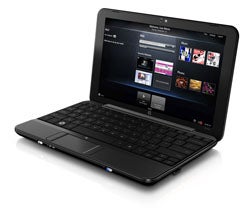
The first model available today is called the HP Mini 1000; it comes in black only, runs XP Home Edition and is priced at $399. (See PC World's review) The second model, available mid-December, had its shell designed by fashionista Vivienne Tam and the look was debuted in New York last month when Tam unveiled her Spring collection. But if you want a designer netbook you'd better be prepared to pay designer prices; this one will cost you $699 for almost the same specs as the Mini 1000. HP plans to roll out 3G option for both of these models in December. There's no word on whether the memory is the same for both netbooks, but the Mini 1000 currently offers an 8 or 16 GB SSD drive or a 60 GB HDD.


The final model is by far the most interesting one that HP has to offer. Priced at $379, the HP Mini 1000 with MIE (Mobile Internet Experience) is about as pure a netbook as you can get with web-only applications designed by HP. Boasting the same specs as the other two, the Mini with MIE runs the open source Linux Operating System and comes pre-loaded with Skype as well as applications for Instant Messaging, e-mail, music, and web browsing. Don't get too excited, though -- the mini MIE won't be available in the U.S. until after the holiday season, sometime in January. HP has no plans to introduce a 3G model for the MIE.
All three models are configure to order, so specs on RAM and memory are up to you.

This is HP's second move into the netbook market after it unveiled its 2133 in April; however, the 2133 was basically a mini-laptop that you could preload with Windows Vista instead of the Web-centric devices the company launched today.

Ever since Western consumers expressed interest in the One Laptop Per Child's XO laptop -- which launched in 2007 and is aimed at children in the developing world -- we've seen an explosion of netbooks from traditional PC makers. Just in the last week, Dell unveiled its Inspiron mini 12 after months of speculation, and Toshiba launched its first netbook in Japan and Europe (but with no plans for the U.S. market). As the global economy begins to slow, netbooks may become the laptop of choice for many consumers and computer makers are jumping in with both feet even as they slash prices on traditional notebooks. The holdout, of course, is Apple, which recently introduced the newest versions of its popular MacBooks. However, Jobs recently argued that Apple already had two devices that compete with netbook capabilities: the iPhone and the iPod Touch.

Read More»»
 

Alexa

i-hotnews | Computer Hot News powered by Blogger.com | Template by o-om.com